
【 New students for Fall Admission in 2026 】 Notice of how to confirm your User ID(Integrated Authentication ID) and set your password
Hosei University provides various networking services such as Gmail, wireless network(hosei-wifi), Zoom and Webex, Box and also has various systems for course registration and confirmation of grades and syllabus.
You will need your User ID (Integrated Authentication ID) and password for such services and systems. Therefore, please confirm your User ID(Integrated Authentication ID) assigned by the university, and set your password from the Hosei Enrollment Procedure System after September 1, 2026 according to the following procedures. And also please confirm your university e-mail account.
1. How to set your password
Please follow the steps below to set your password.
(Step1) Login to Hosei Enrollment Procedure System with your applicant number and date of birth.
Hosei Enrollment Procedure System: https://hosei-enroll.jp/
(Step2) Proceed “Confirmation of Student ID Information” on the bottom.
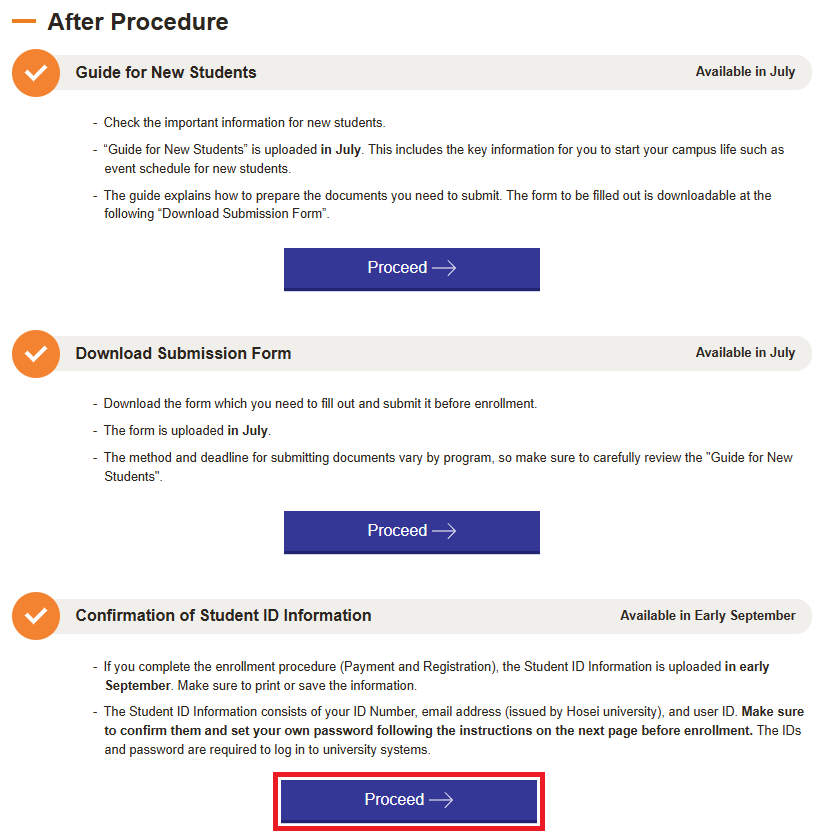
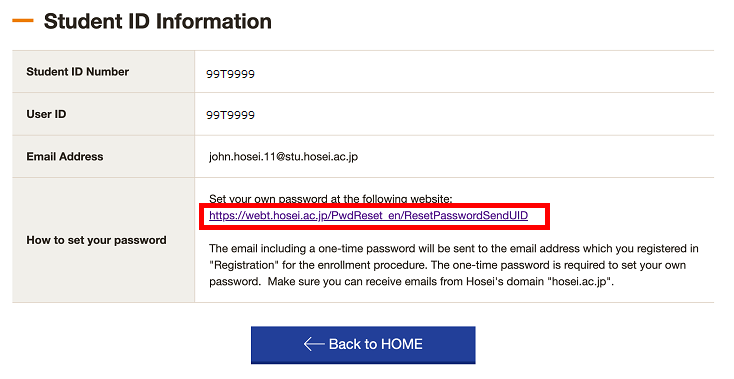
(Step3) Access to the following link on “How to set your password”.
※If the linked page displays an error or does not work properly, please access this URL.
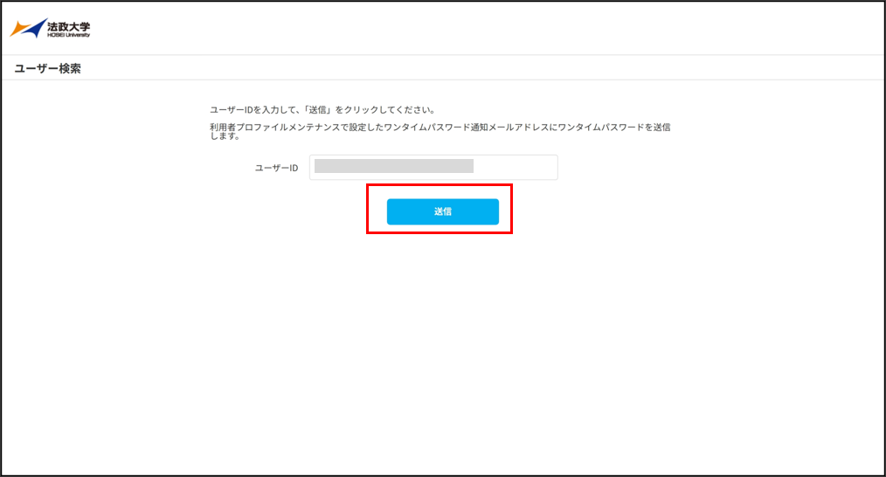
(Step4) Enter your user ID (Integrated Authentication ID) in the “User ID (Integrated Authentication ID)” entry field on the “password reset” screen and click “Send.”
※Your User ID (Integrated Authentication ID) can be confirmed on the “Confirmation of Student ID Information” screen.
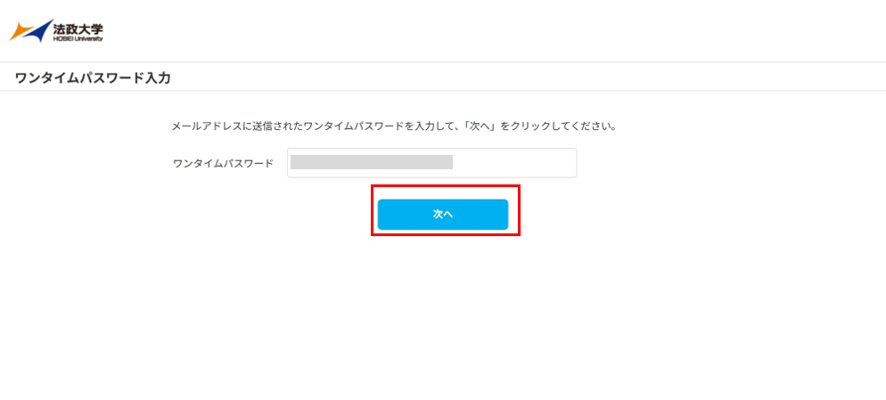
(Step5) The e-mail including a one-time password will be sent to the e-mail address you registered for the enrollment procedure.
※If you cannot receive the one-time password, please come to the Computing and Networking Center Office at each campus with your student ID card.

(Step6) On the “Password” screen, enter the one-time password obtained in (step5) in the “One-time Password” field and click “Next”.
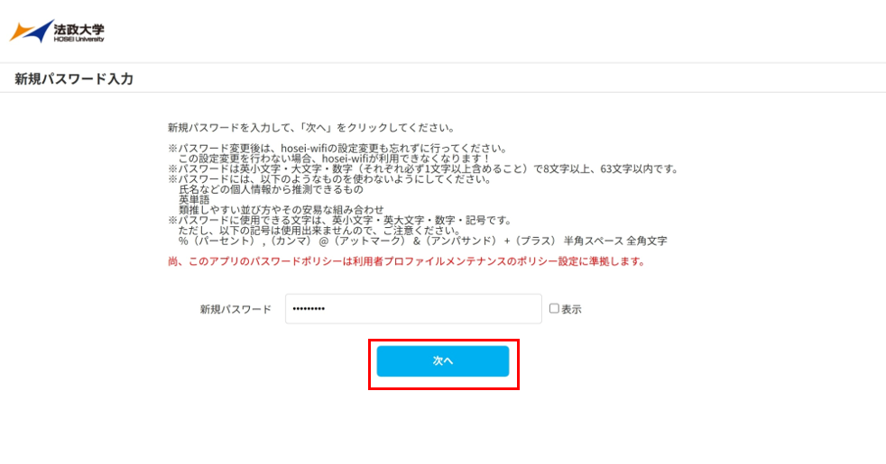
(Step7) On the Password Reset screen, enter your password according to the following password rules in the “New Password” field and click “next”.
Hosei University’s password rules are as follows.
Your password must contain at least 8 lowercase letters, uppercase letters, and numbers (each of which must contain at least 1 character), and must be no more than 63 characters long.
The password can contain lowercase and uppercase letters, numbers, and symbols.
However, please note that the following symbols cannot be used.
% (percent) , (comma) @ (atmark) & (ampersand) + (plus) half-width space, full-width characters
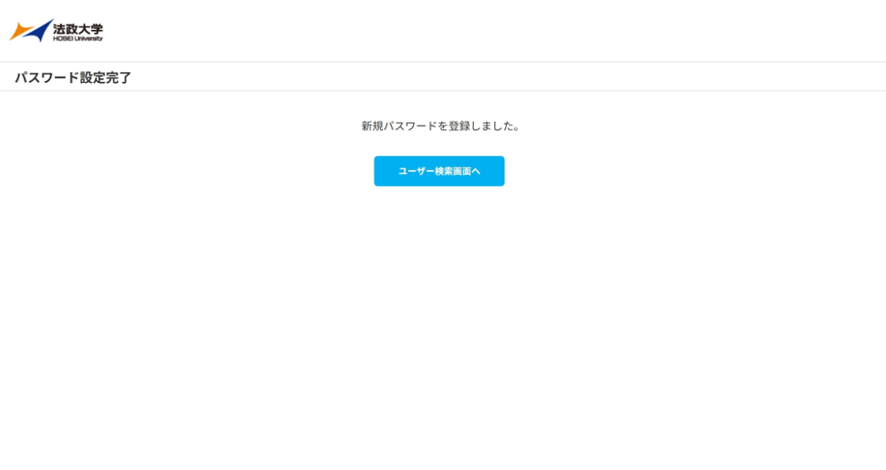
(Step8) When “Your new password has been registered.” is displayed, the password setting is complete.
2.Computing and Networking Center Office at each campus
| Campus | Building | Room Name | Business Hours |
|---|---|---|---|
| Ichigaya Campus | 2F Fujimizaka Building | Jōhō Cafeteria | For more information, please click here. (Only available in Japanese) |
| Ichigaya Campus(Ichigaya Tamachi) | 3F Ichigaya Tamachi Building | edu Support Room | For more information, please click here. (Only available in Japanese) |
| Tama Campus | 3F All-Purpose Building | Tama Computing and Networking Center Office | For more information, please click here. (Only available in Japanese) |
| Koganei Campus | 4F Administrative Building | Koganei Computing and Networking Center Office | For more information, please click here. (Only available in Japanese) |
3.Contact Information
For inquiries about course registration, please contact your faculty office.
For inquiries about setting your password, etc., please click here.